
Administrator
Enterprise dashboard
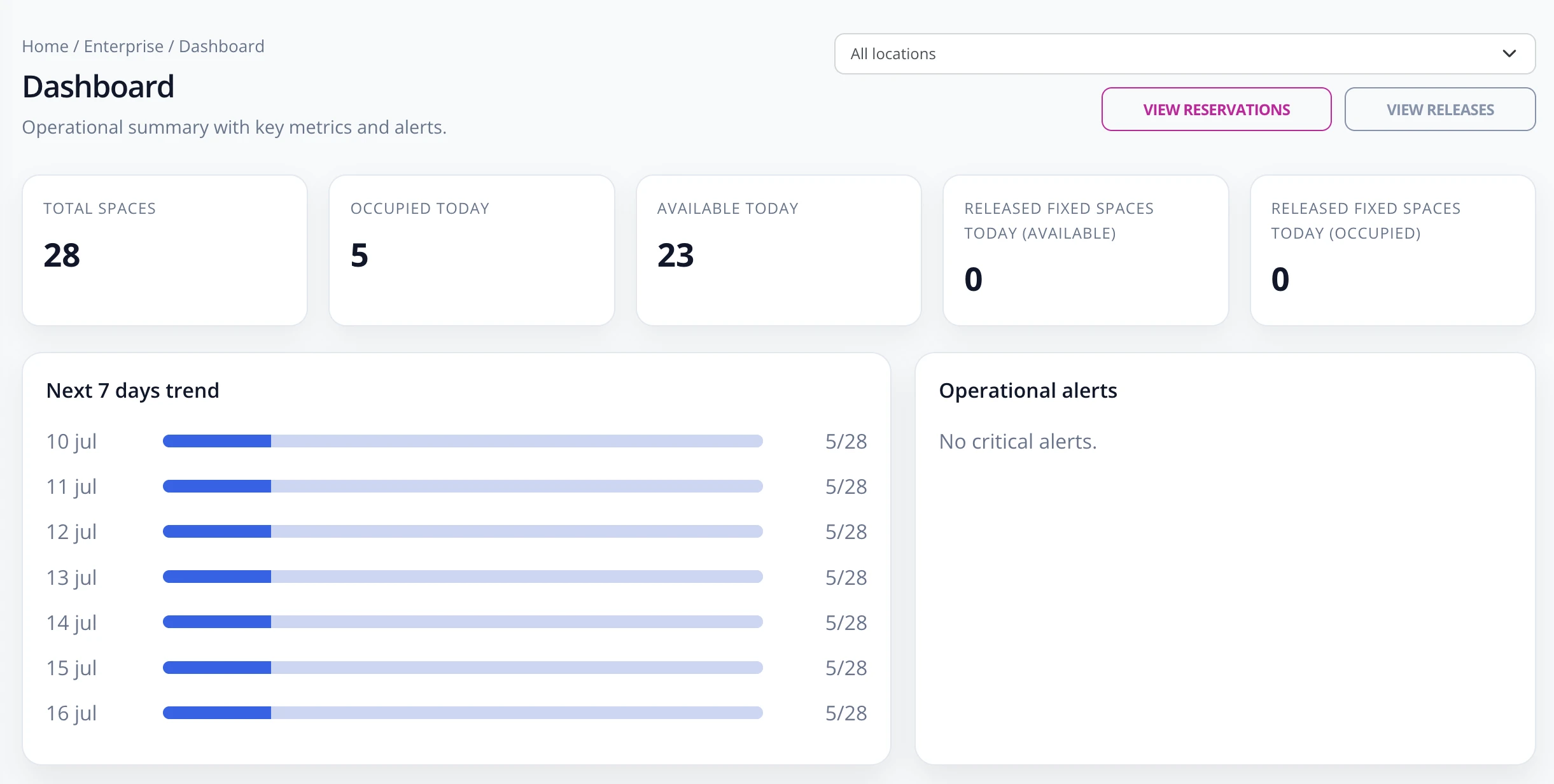
The dashboard shows the operational status of corporate parking and lets you quickly access reservations and releases.
What to review
- Go to Enterprise -> Dashboard.
- If there is more than one location, use the selector to view all locations or a specific one.
- Review indicators for total spaces, occupied today, available today, and released fixed spaces.
- Check the trend for the coming days to anticipate lack of availability.
- Use View Reservations and View Releases when something needs correction or validation.
The dashboard is the daily control screen. For configuration changes, use the rules, locations, users, and spaces sections.